Computer Vision Applications
Computer Vision OCR and Face Detection
—Most technical information involving this project has been omitted to protect confidentiality—
Computer vision has lots of applications when it comes to logistics and on demand ordering services, it can be used to look at photos of drivers licenses to extract their information, or it can be used to verify that the picture of the delivery drop off is successful.
This project used OCR to detect driver registration information to automate the driver registration process. With a single driver license, what would be the best algorithm to go about doing so?
Starting with the basics, first we need to figure out whether or not there is a driver license in the photo to begin with! This requires a basic object detection, and to define the bounding boxes of the driver license within the image to ensure that we have gotten the correct orientation of the driver license.
Popular object detection algorithms include: YOLO, R-CNN, RetinaNet.
Since we know the size of the driver license, we can take the aspect ratio as a tell for if the simple object detection algorithm detects a rectangle in the image, is the rectangle a street sign or is it a driver license? At the beginning we dont care, we just need to make sure the image is in the correct orientation and size in the photo.
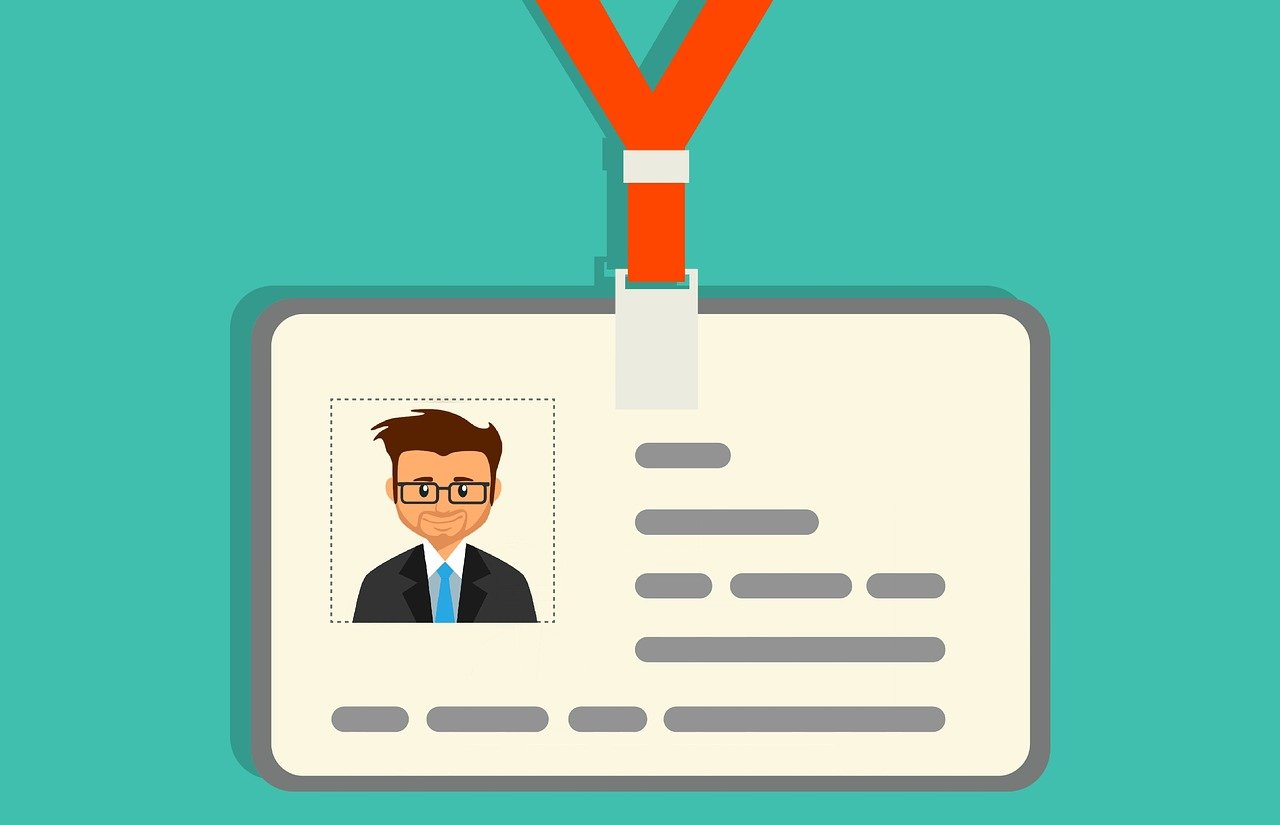
To determine if the box in our image is a driver license or just a postcard, this is when we deploy OCR technology. Google Cloud, Azure Computer Vision and AWS Textract all provide great OCR libraries that we can just call and use with our respective accounts. We can also look elsewhere at 3rd party open source OCR libraries, such as Tesseract or EasyOCR are other great options.
Simple OCR call for AZURE:
subscription_key = os.environ["VISION_KEY"]
endpoint = os.environ["VISION_ENDPOINT"]

computervision_client = ComputerVisionClient(endpoint, CognitiveServicesCredentials(subscription_key))
'''
OCR: Read File using the Read API, extract text - remote
This example will extract text in an image, then print results, line by line.
This API call can also extract handwriting style text (not shown).
'''
print("===== Read File - remote =====")
# Get an image with text
read_image_url = "https://learn.microsoft.com/azure/ai-services/computer-vision/media/quickstarts/presentation.png"

# Call API with URL and raw response (allows you to get the operation location)
read_response = computervision_client.read(read_image_url,  raw=True)

# Get the operation location (URL with an ID at the end) from the response
read_operation_location = read_response.headers["Operation-Location"]
# Grab the ID from the URL
operation_id = read_operation_location.split("/")[-1]

# Call the "GET" API and wait for it to retrieve the results
while True:
    read_result = computervision_client.get_read_result(operation_id)
    if read_result.status not in ['notStarted', 'running']:
        break
    time.sleep(1)

# Print the detected text, line by line
if read_result.status == OperationStatusCodes.succeeded:
    for text_result in read_result.analyze_result.read_results:
        for line in text_result.lines:
            print(line.text)
            print(line.bounding_box)
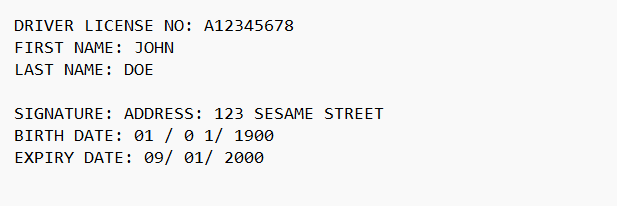
The OCR will just return the raw text data, it might be something like:
Which would be very different then if a post card was detected it would probably show something like:
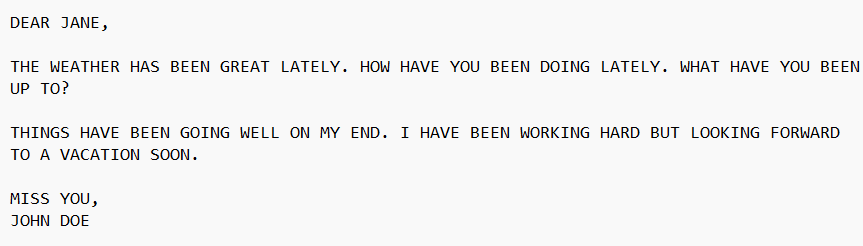
We can use this differences to tell us what we are looking at in the image and also to detect the correct words. We can use regex to find key words such as address and name and gather the data.
From there we can look for drivers who might share the same driver license, invalid expiry dates or invalid driver license numbers. This project can manually typing and review of a team to just minutes of computer vision review.

As a machine learning engineer, aside from learning and knowing how and when to which algorithms, another aspect of machine learning entirely is computer vision. Computer Vision is almost a completely new subset of machine learning, like going from linear algebra to trigonometry, both are math subjects but both have their own set of equations and formulas that you need to learn. Although similar, being good at linear algebra doesnt mean you are good at trigonometry.
Libraries:
Some of the tools required to make this project work:
Python - Python is a programming language that lets you work quickly and integrate systems more effectively.
OpenCV - OpenCV is a library of programming functions mainly for real-time computer vision. Originally developed by Intel, it was later supported by Willow Garage, then Itseez…
Pandas - Pandas is a fast, powerful, flexible and easy to use open source data analysis and manipulation tool, built on top of the Python programming language.
AWS Sagemaker - Amazon SageMaker is a cloud-based machine-learning platform that allows the creation, training, and deployment by developers of machine-learning models on the cloud. It can be used to deploy ML models on embedded systems and edge-devices.
GCP Vision - The Vision API can detect and extract text from images. There are two annotation features that support optical character recognition (OCR)
Azure VisionAccelerate computer vision development with Microsoft Azure. Unlock insights from image and video content using OCR, object detection, and image analysis.